FireBird Building Management Control Cabinets
Fire and intruder alarms, vehicle and pedestrian access, internal doors and integrations, on one platform
FireBird and thebuilding.cloud bring fire and intruder alarms, vehicle and pedestrian access, internal doors and other building systems together on one cloud platform for commercial and industrial sites. Control101 takes FireBird’s I/O modules, controllers and communication hardware and integrates them into professionally wired, fully assembled control cabinets — from compact units to medium‑sized multi‑door systems.
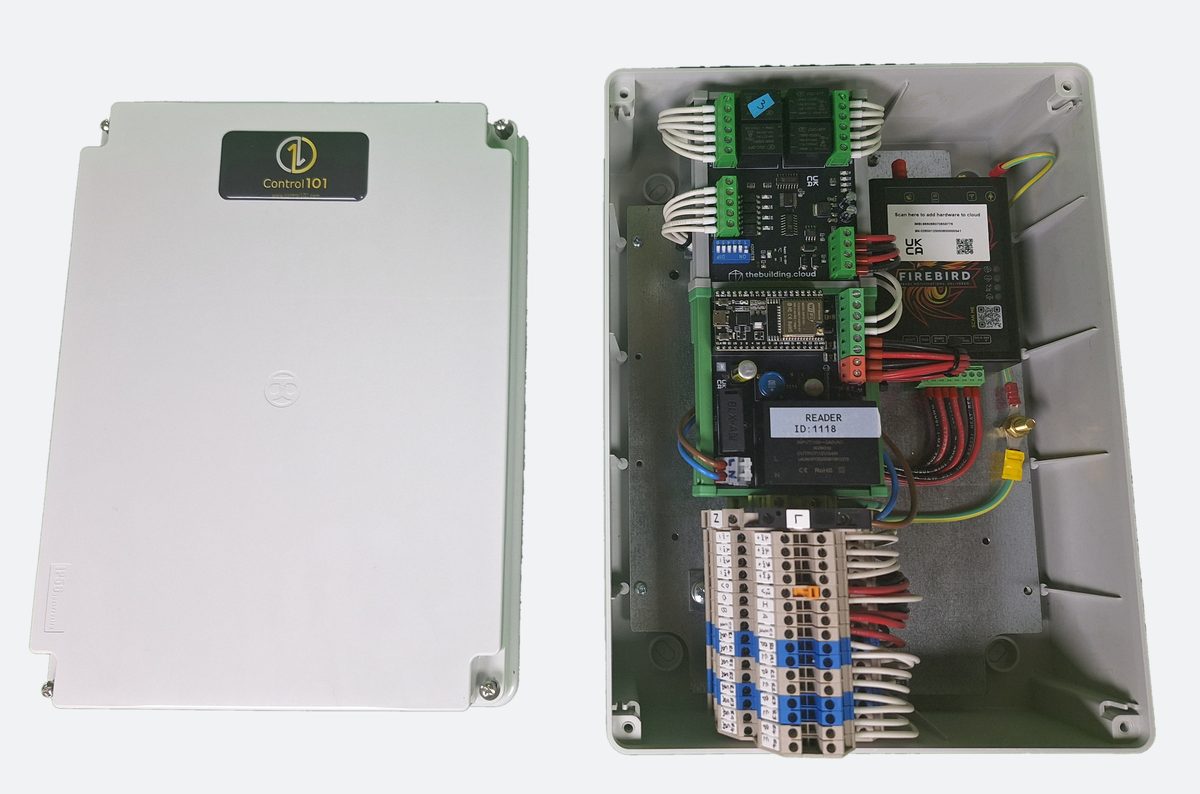
FireBird ties the building together: fire and intruder alarms, vehicle and pedestrian access, internal doors and other building systems, all managed from thebuilding.cloud. Control 101 builds it into a plug‑and‑play cabinet, so installers and facility managers don’t have to source, wire and configure the hardware themselves.
Building management for commercial and industrial sites
One platform for safety, security and access. Every event lands in thebuilding.cloud, so each part of the building can react to the others.
Fire alarm
- Connect fire panels to thebuilding.cloud and see their status in the cloud dashboard
- Fire, fault and offline events as they happen
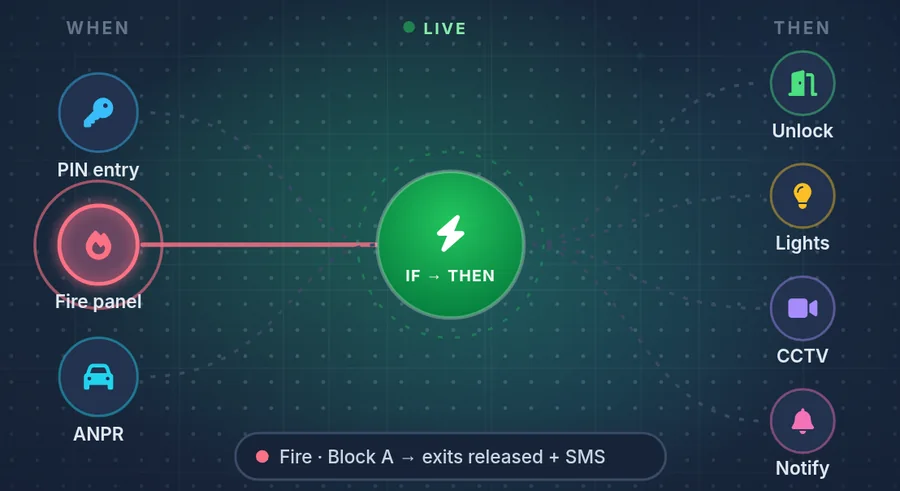
- Emergency response workflows, such as releasing exit doors through FireBird relays
Intruder alarm
- Monitor intruder alarm panels alongside fire panels
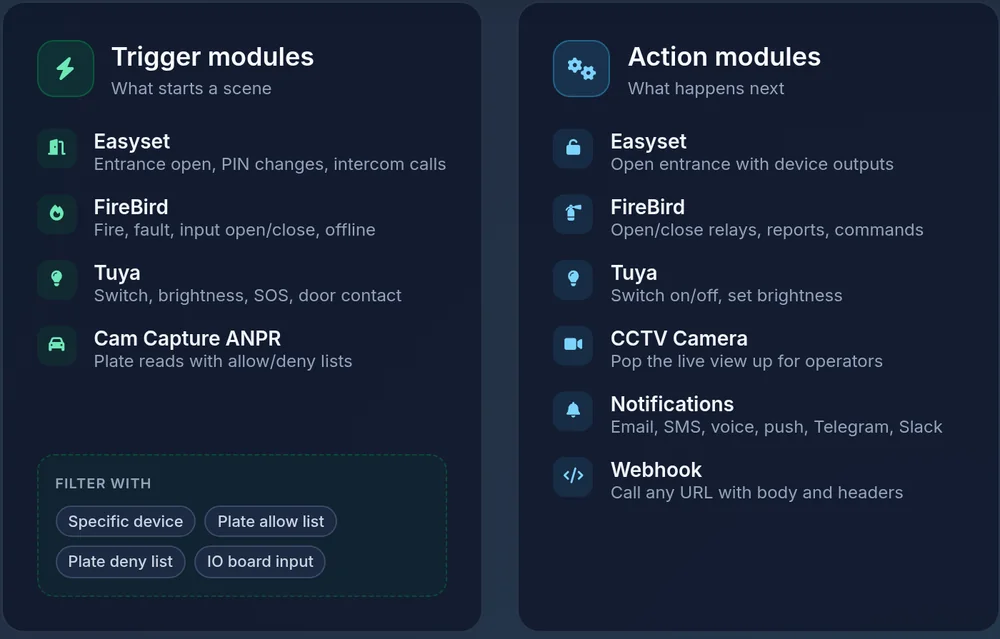
- Instant, actionable alerts by email, SMS, voice, push, Telegram or Slack
- Alarm events can trigger automations on the rest of the site
Vehicle access control
- Gates and barriers on the same platform as your alarms
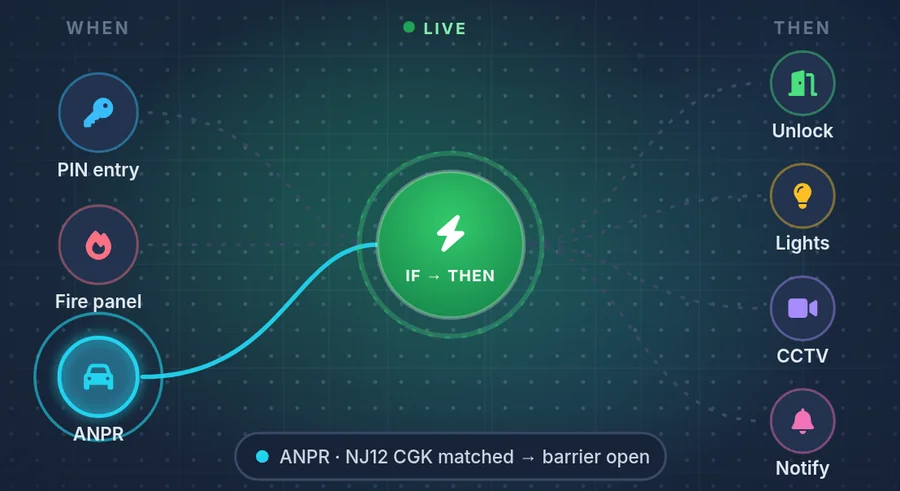
- ANPR number-plate recognition, parking sensors and barrier control in thebuilding.cloud
- Access for residents and visitors, with every event logged
Pedestrian access control
- Proximity tags, cards and 4–6 digit keypad codes, plus exit buttons
- Fail-safe magnetic locks on pedestrian gates and doors
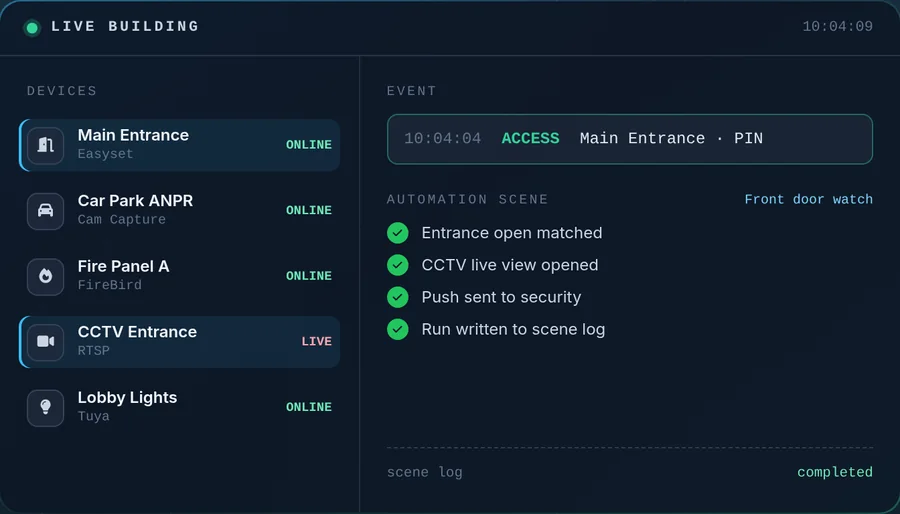
- PIN, QR and passkey unlock, remote unlock and real-time access logs in Cloud Mode
Internal door networks
- Manage doors, entrances and user permissions across the building from one control plane
- Time-based rules and real-time unlock monitoring
- Runs Stand-Alone at each door with no network needed, or managed in the cloud
Integrations
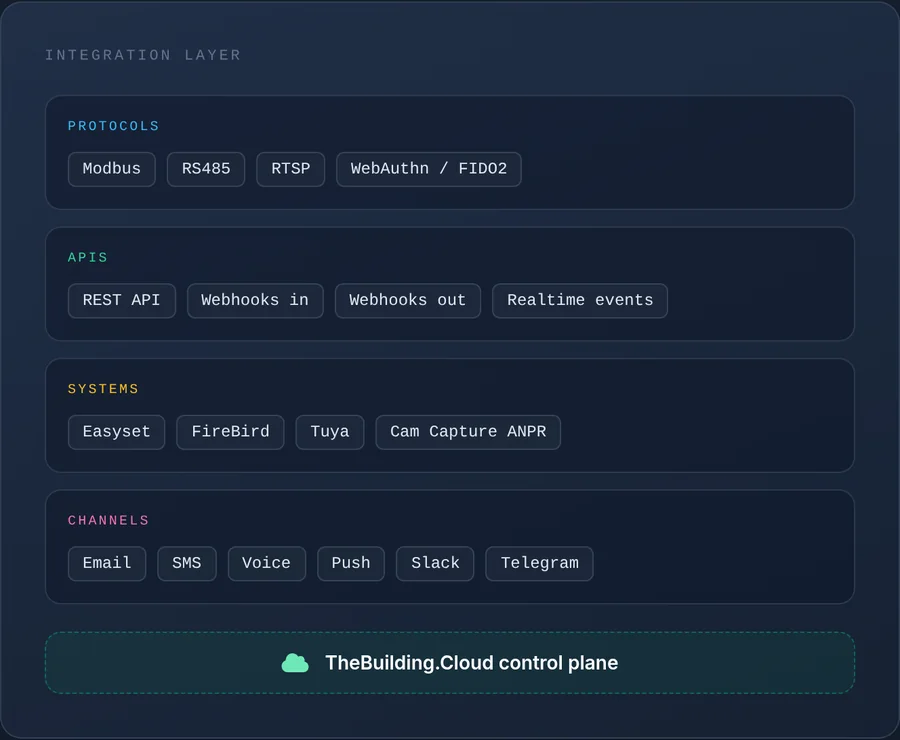
- Works with the controllers, cameras and panels already on site, with no rip-and-replace
- REST API, webhooks in and out, Modbus, RS485, RTSP and WebAuthn
- Live CCTV, video intercom, ANPR and IoT switches and sensors on the same platform
One event, the whole building responds
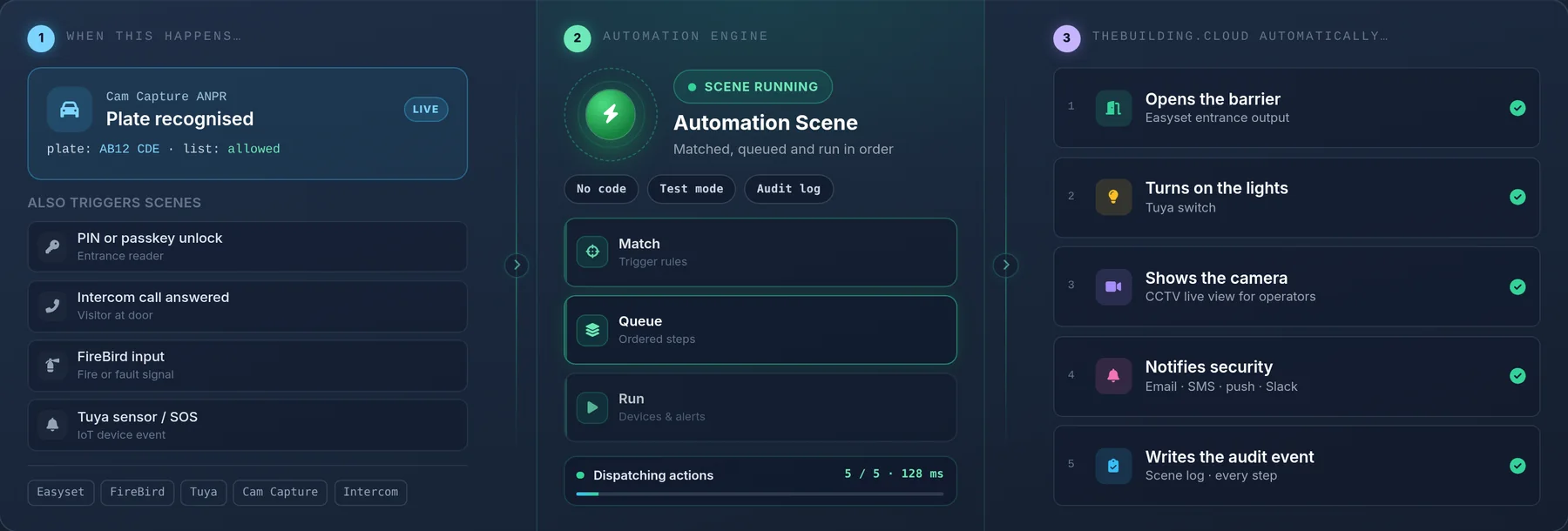
- EventA fire or intruder panel signals, a number plate is read at the barrier, or someone uses a tag, code, passkey or exit button.
- FireBirdFireBird picks up panel and door inputs and reports them to thebuilding.cloud, alongside the other connected devices.
- thebuilding.cloudAutomation scenes match the event and run their steps in order, logging every step.
- ActionDoors, gates and barriers are released or opened, cameras are shown to operators, people are alerted and other systems are notified by webhook.
Need a FireBird cabinet?
Tell us the panels, doors, gates and barriers, and how many relays you need. We'll quote a fully wired, labelled and documented FireBird cabinet built to spec.
Control 101 FireBird cabinets
Every cabinet is built to order and quote-only. Model names are from our stores list.
FireBird Guard
QuoteCurrent models, built to order.
FireBird guard, 1 x relay, 12v and 48v PSUs and PoE
1 × relay, 12V and 48V PSUs and PoE
GRP enclosure
FireBird guard mini, PSU, 1 x relay, WiFi
PSU, 1 × relay, Wi-Fi
Request a quote →FireBird – 600
Ask about availabilityMild steel cabinets. Ask about availability.
FireBird – Mini
Ask about availabilityMild steel cabinets. Ask about availability.
200A FireBird controllers
Compact FireBird access controllers for self-closing magnetic-lock pedestrian gates and controlled doors: 200A FireBird, 200A FireBird Mini, 200A FireBird & Keypad, 200A FireBird Mini & Keypad, plus matching keypads and exit switches.
FireBird hardware and cabinets
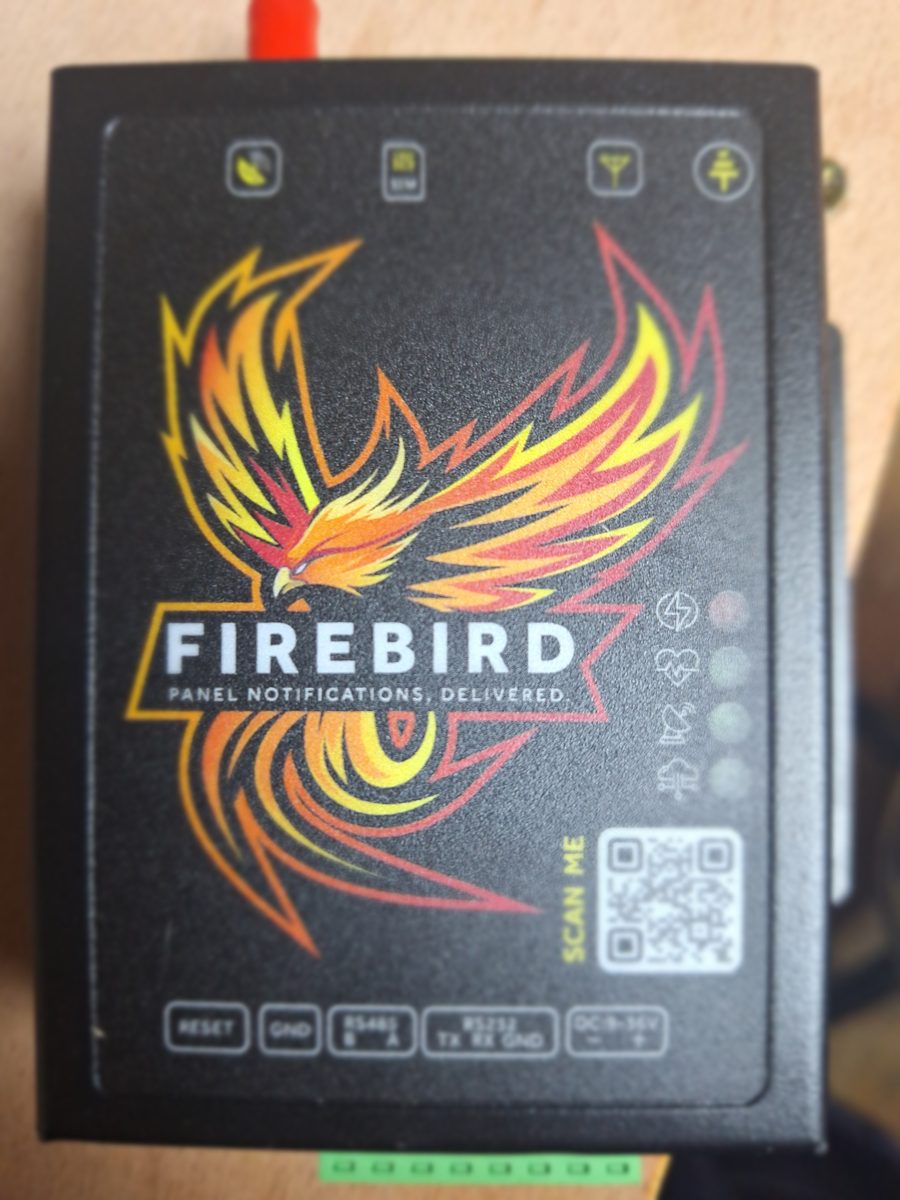
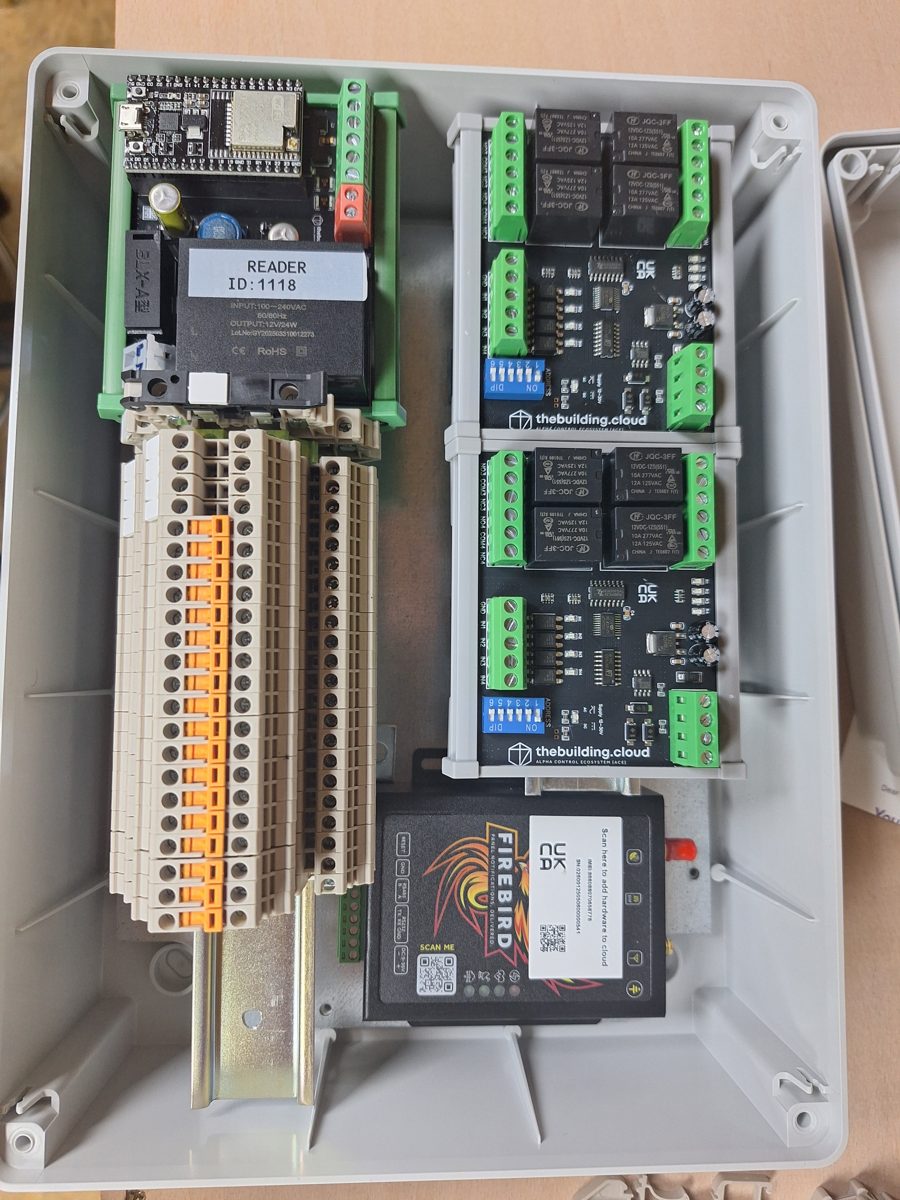
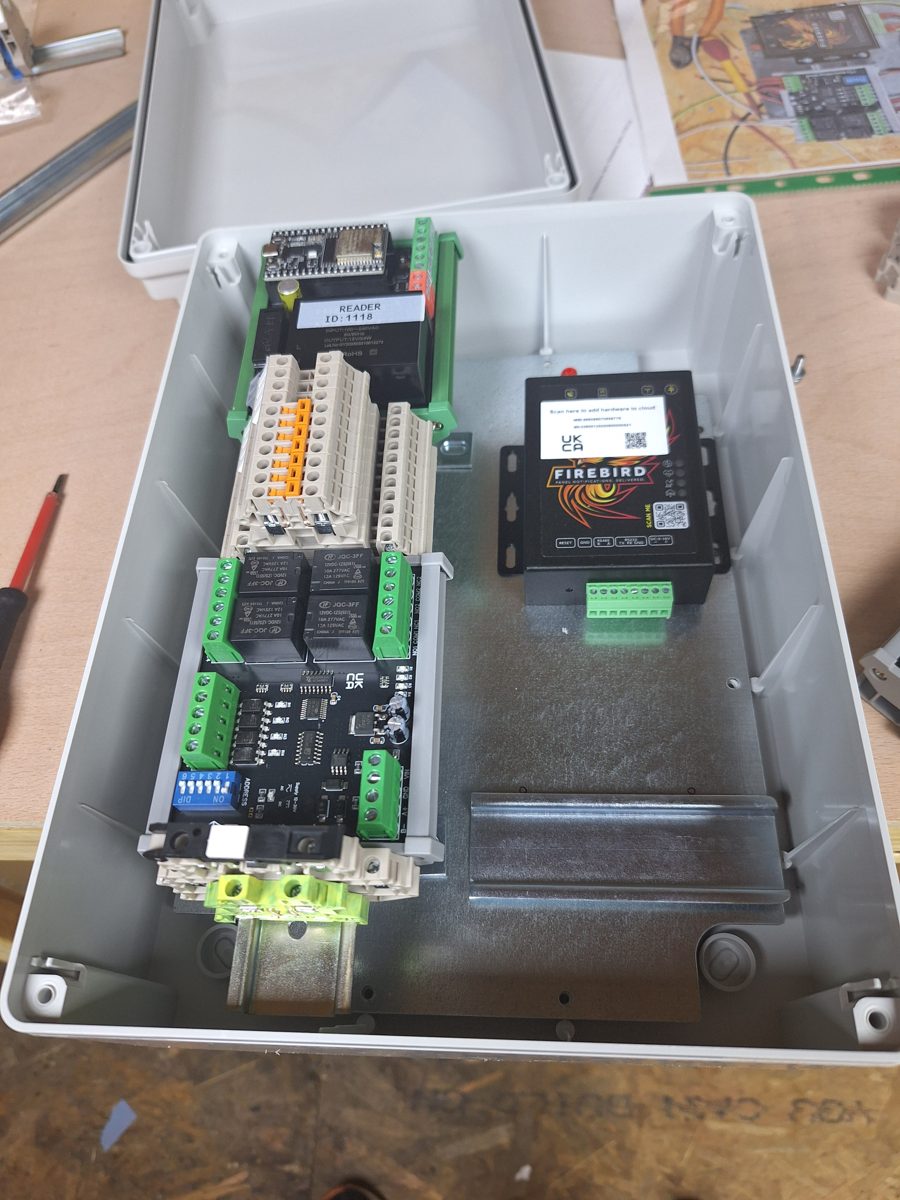
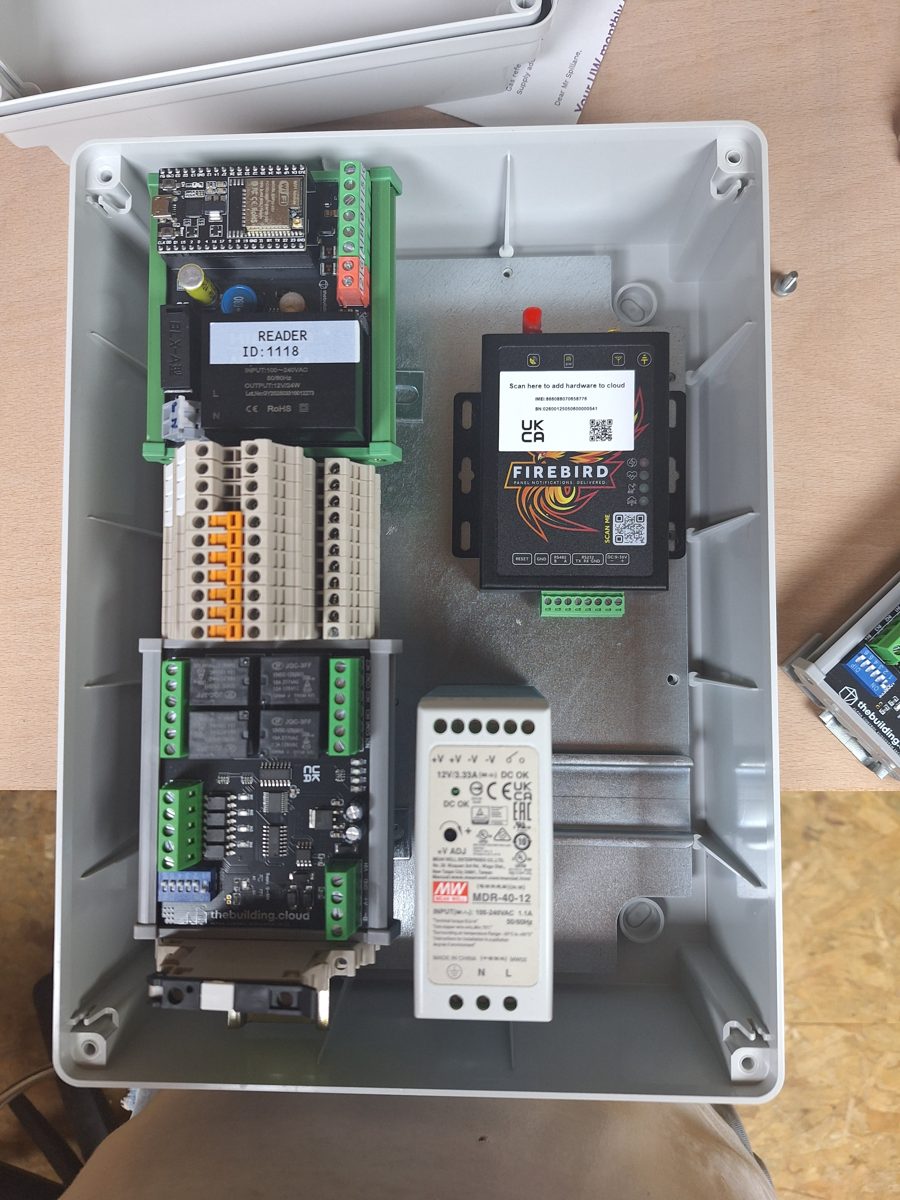
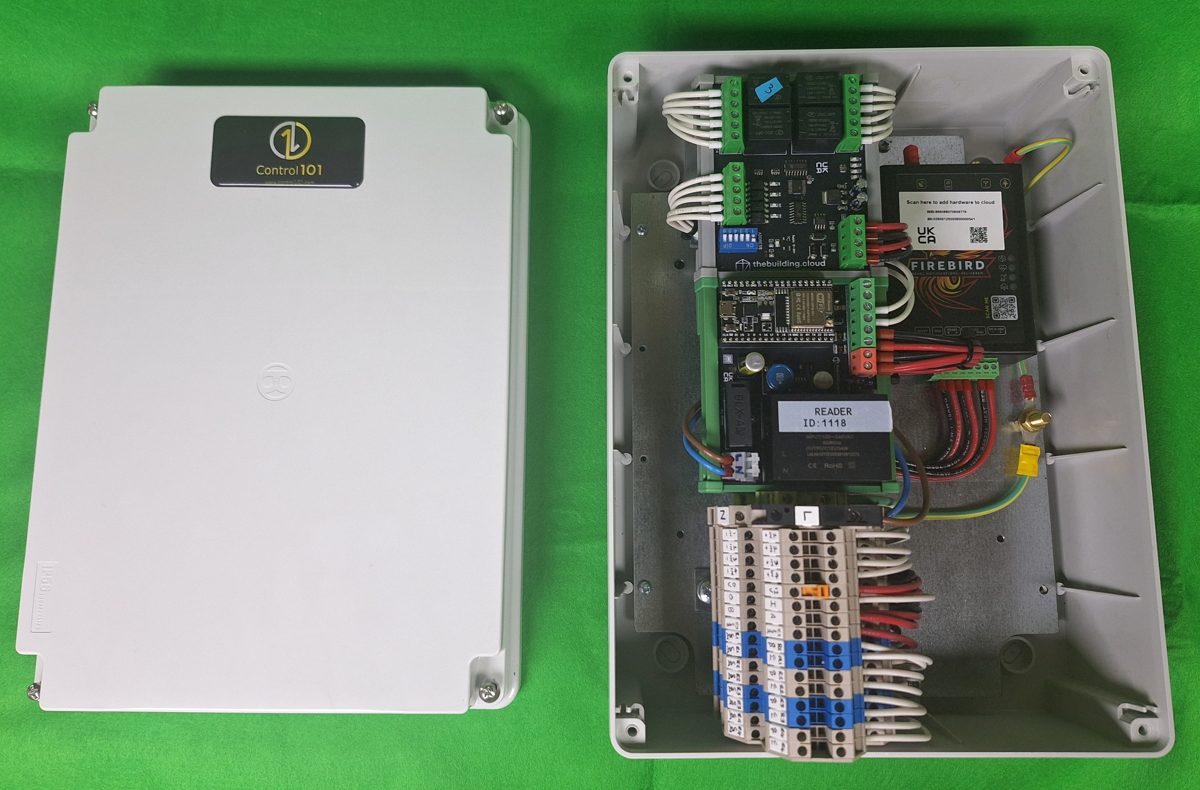
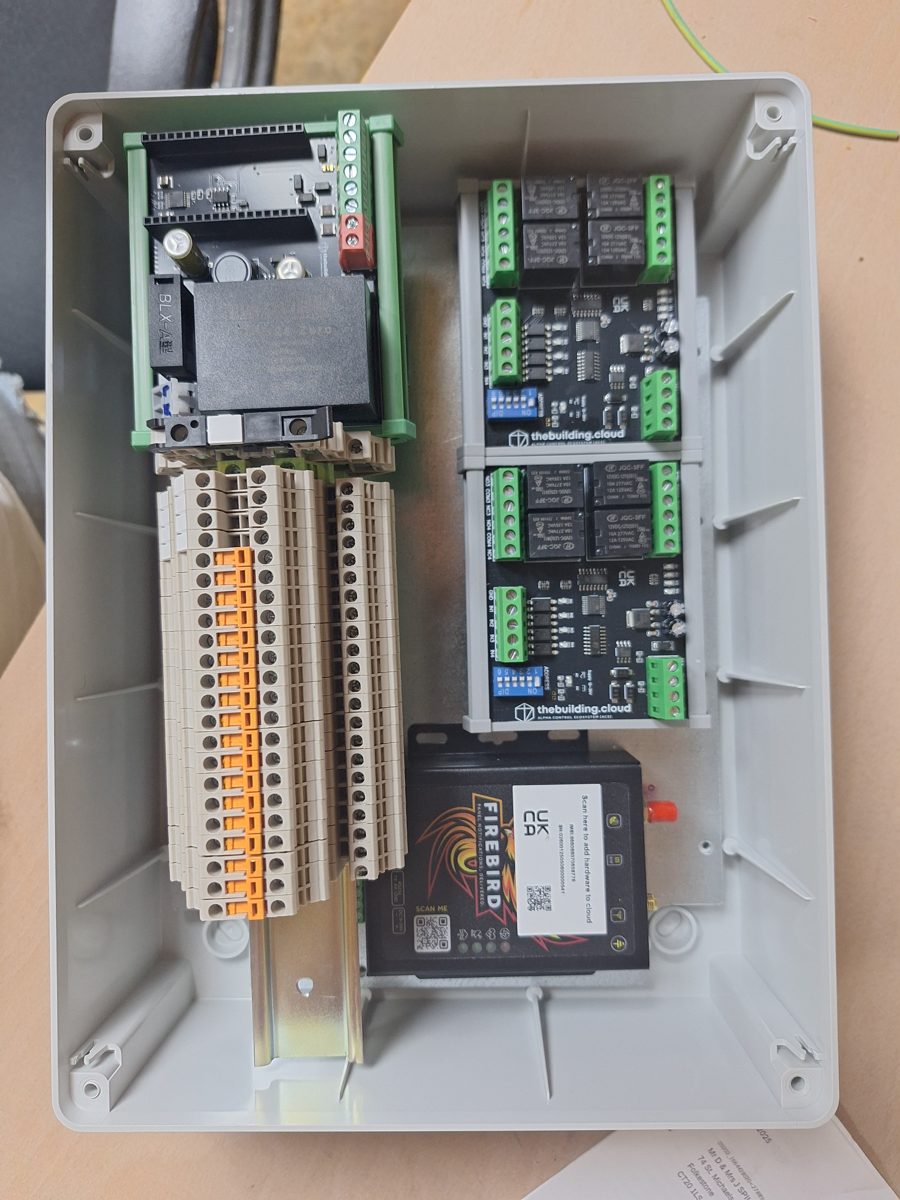
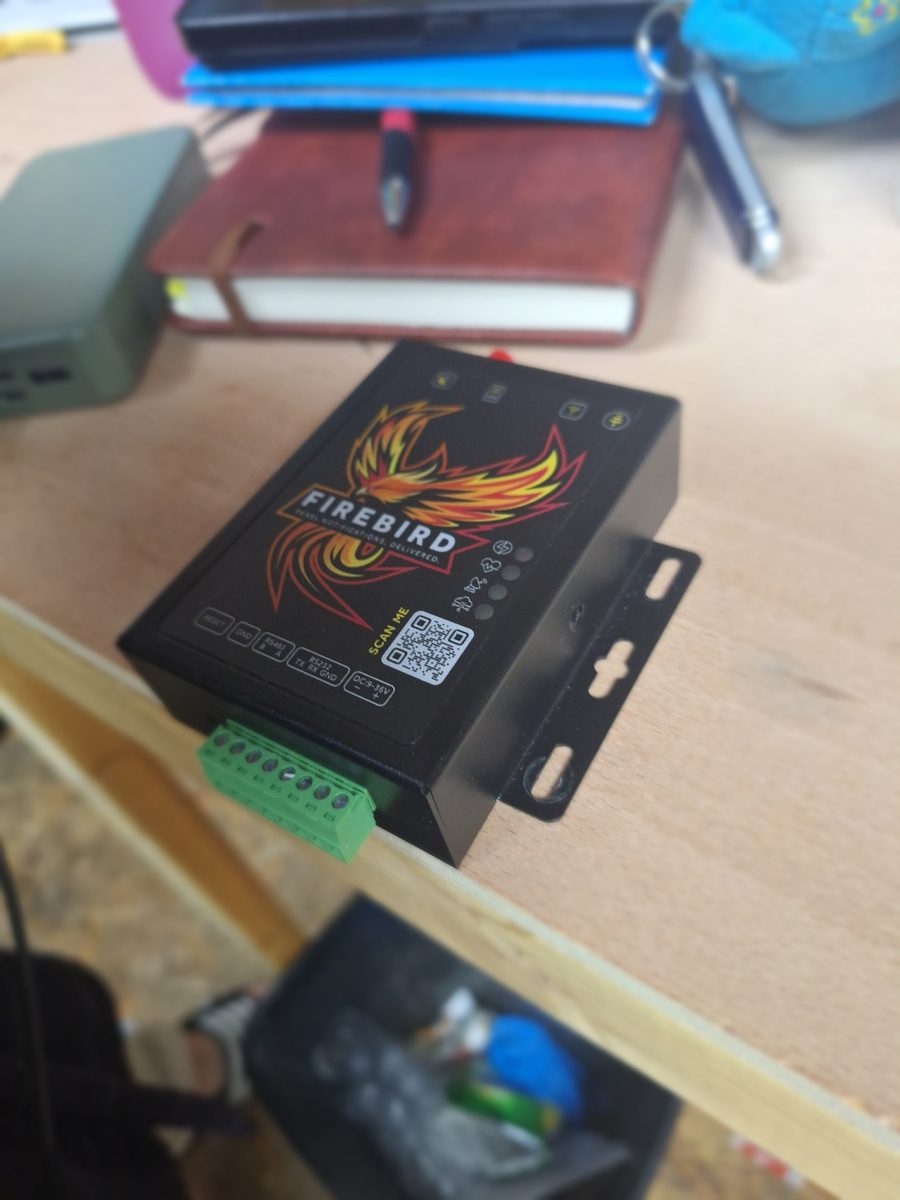
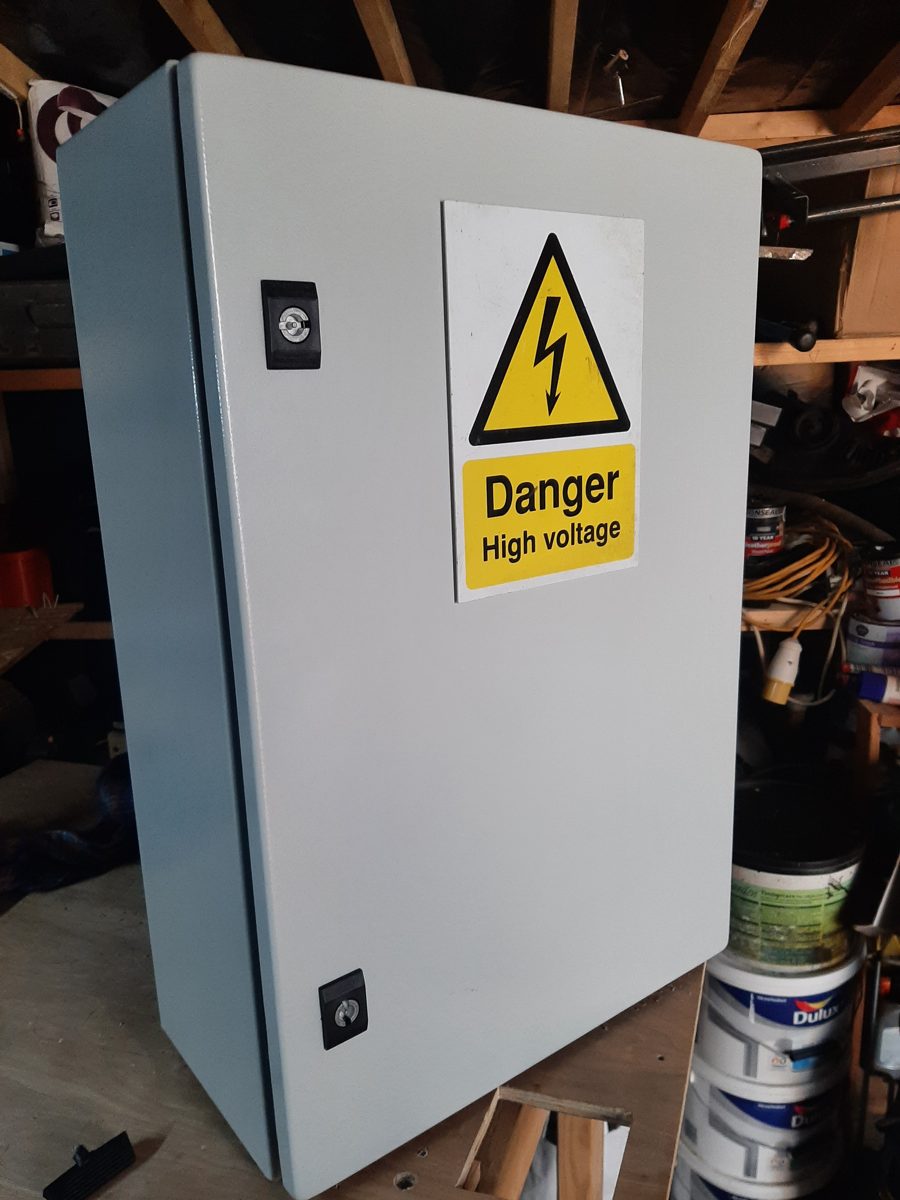
Control 101 is a FireBird Authorised Panel Builder and a thebuilding.cloud Authorised Dealer.
Managed in thebuilding.cloud
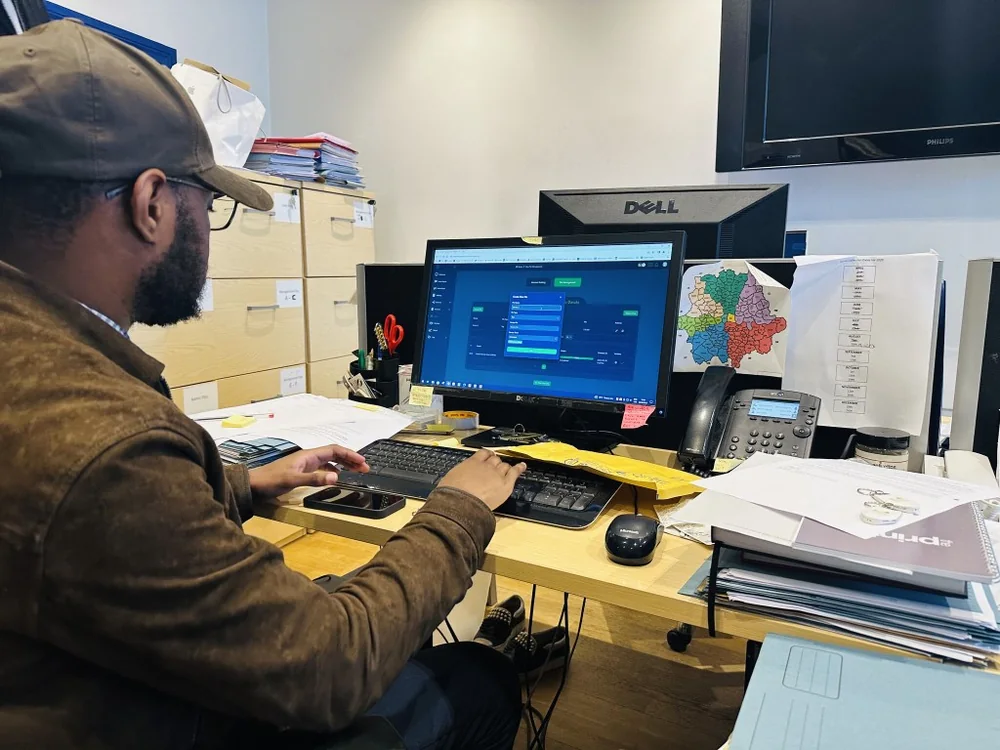
In Cloud Mode, FireBird joins the site's 2.4 GHz Wi-Fi and is enrolled in thebuilding.cloud using an authorised administrator account. You then manage it from the web portal or the Android and Apple iOS app. thebuilding.cloud provides support for the cloud platform. Control 101 builds, wires and documents the cabinet.
Cloud support: help@thebuilding.cloud
FAQs
Answers taken from the FireBird 200A manual (Rev 3.1).
Does FireBird access control need the internet?
No. In Stand-Alone Mode (the factory default) tags, cards and keypad codes are learned and checked locally, so network access isn't needed for normal credential operation. Cloud Mode adds Wi-Fi and enrolment in thebuilding.cloud for remote onboarding and management.
Which Wi-Fi does it use?
2.4 GHz only. For Cloud Mode the controller is put on the site Wi-Fi through its own FireBird-WiFi setup network: connect a phone, the captive portal opens, choose the site network and enter its password. It is then added to go.thebuilding.cloud through the web portal or the Android or Apple iOS app.
What can the relay switch?
The changeover relay works in DRY mode (potential-free, max 125 VAC or 60 VDC at 1 A) or WET mode (internal 12 VDC, max 1 A, with a +/- selector for the switched polarity). The 12 VDC auxiliary output supplies up to 2.5 A in DRY mode or 1.7 A in WET mode. The magnetic-lock release time adjusts from about 1 to 25 seconds.
Which readers and exit buttons can I connect?
Wiegand readers and keypads on D0/D1, and a request-to-exit input for a normally-open volt-free contact such as an exit button, intercom relay or keypad relay. The REX input must only ever see a volt-free contact.
Can it work with other gate or smart relays?
Yes, as an optional third-party relay integration. The manual shows a Remootio 3 example. Set third-party relays to a short pulse rather than a maintained output.
What about emergency release?
A magnetic lock must not be the only means of emergency release. Any required emergency door release and fire-alarm interface must work independently of cloud software, Wi-Fi, the app and the controller logic.
Who supports the cloud platform?
thebuilding.cloud: help@thebuilding.cloud. For the cabinet, wiring and build, talk to Control 101.
Manuals and installation documents
FireBird 200A Series – Installation, Configuration & User Manual
PDF · Rev 3.1 · 20 pages · wiring, Stand-Alone and Cloud Mode setup, troubleshooting
Tell us about your next installation
Send us the gate system, the control board and any extras you need, and we'll quote a cabinet built to spec. Need something bespoke? Just send us a message.