The 600 Series brings together our most advanced control solutions. Use the quick‑selection menu to go straight to the control board you intend to use. This first selection covers your basic cabinet choice, after which you can move on to the next quick‑selection menu to choose your ancillary equipment.
Basic Cabinet Selection
Ancillary Equipment Menu
If your new to the 600 series please take a look below for a more detailed description.
JUST SCROLL DOWN
🔥600 Series – Modular Control Cabinet System
Build the exact gate control cabinet you need.
Domestic • Commercial • Installer‑Customisable
Overview
The Control 101 600 Series is a fully modular control cabinet system designed for domestic and commercial automated gate installations.
Instead of forcing installers into a fixed layout, the 600 Series lets you build a cabinet tailored to the job by selecting:
• Enclosure type
• Mains circuit
• Control board supplier
• Optional door plate
• Ancillary equipment kits (PSUs, relays, detectors, etc.)
This gives you a clean, professional, repeatable layout while keeping full flexibility for any gate system.
Choose Your Cabinet Configuration
1. Enclosure Options
Choose the enclosure that suits the installation environment.
Mild Steel Enclosure
• Powder‑coated
• High durability
• Ideal for outdoor and commercial sites
GRP Enclosure
• Lightweight
• Corrosion‑resistant
• UV‑stable
• Perfect for coastal or damp environments
• Easy to drill and customise
2. Mains Circuit Options (10A Rated)
All 600 Series cabinets include:
• 10A MCB (main circuit protection)
• 10A, 250V, 50–60Hz EMI filter
• Double‑pole isolator (internal or external)
• 3 × 5mm × 20mm fuse holders
• Neutral & earth terminal blocks
• Clean, trunked wiring
Available Mains Circuits
• 007 – External Isolation + 6A Lighting MCB
• 008 – External Isolation Only
• 015 – Internal Isolation + 6A Lighting MCB
• 016 – Internal Isolation Only
3. Door Plate Option
Add a door‑mounted equipment plate for low‑profile devices:
• Receivers
• Timers
• Relays
• Small PSUs
• Logic modules
Keeps the main mounting area clear for the control board.
4. Control Board Selection
Choose who supplies the control board:
Customer‑Supplied
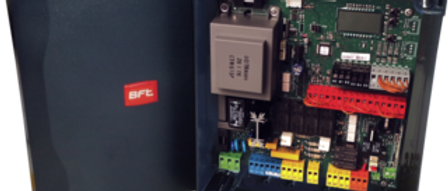
Use your preferred manufacturer board (FAAC, BFT, NICE, Beninca, Fadini, etc.)
Control 101‑Supplied
We install the selected board for you.
Your cabinet arrives ready for wiring and commissioning.
Once enclosure + mains circuit + control board supplier are chosen, you have the:
Basic Cabinet
Expand Your Cabinet With Ancillary Equipment Kits
5. Power Supply Kits (PSUs)
12V DC
• 20W (1.67A)
• 40W (3.33A)
• 60W (5A)
• 100W (7.5A)
24V DC
• 20W (1A)
• 40W (1.7A)
• 60W (2.5A)
• 100W (4A)
6. Loop Detector Kits
230V AC
• Single Channel
• Double Channel
24V
• Single Channel
• Double Channel
7. Magnetic Lock Relay Kits (KIT 1)
Double Pole, 8A relays with:
• 110VAC coil
• 12VAC coil
• 230VAC coil
• 24VAC coil
• 12VDC coil
• 24VDC coil
8. Key Switch Kits
• Hold Open
• Deadman (constant pressure)
9. Emergency Stop Options
A selection of E‑Stops for safety and compliance.
10. Time Switch Kits
• 1‑Channel Time Switch
• 2‑Channel Time Switch
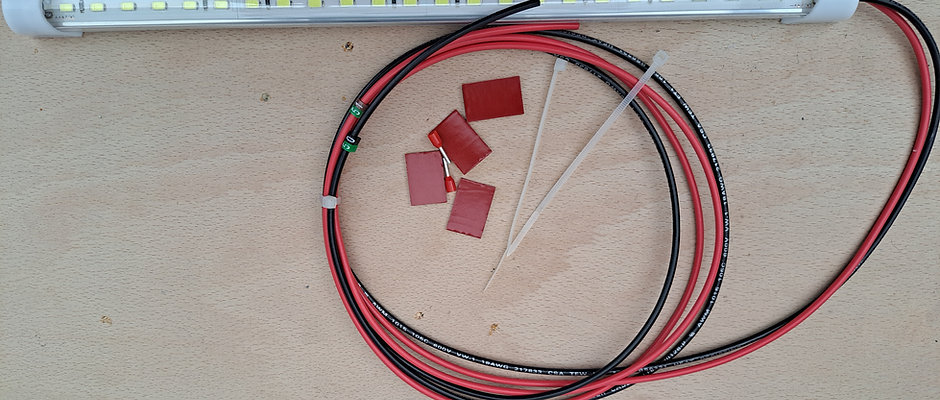
11. Internal Lighting Kits
• 1 internal light (no PSU)
• 2 internal lights (no PSU)
12. Battery & Bracket Kits
• Backup batteries
• Battery mounting brackets
• Wiring harnesses
Typical Applications
• Domestic swing gates
• Commercial swing gates
• Light industrial systems
• Retrofit upgrades
• Multi‑access control systems
• Sites requiring custom internal layouts
Why Installers Choose the 600 Series
• Build exactly what the job needs
• Clean, professional internal layout
• Faster installation
• Reduced wiring errors
• Compatible with all major gate control brands
• Future‑proof modular design
Ordering Structure
Choose your configuration:
1. Enclosure – Mild Steel / GRP
2. Mains Circuit – 007 / 008 / 015 / 016
3. Door Plate – Yes / No
4. Control Board Supplier – Customer / Control 101
5. Ancillary Kits – PSU, Loop Detector, Relay, Time Switch, Key Switch, E‑Stop, Lighting, Battery


What Makes the 600 Series Truly Modular
The 600 Series isn’t just a cabinet — it’s a modular wiring platform designed to make installation, commissioning, and long‑term servicing dramatically easier.
Input/Output DIN Rail (The Modular Core)
All terminal connections from the control board are brought down and terminated onto the Input/Output DIN rail (also known as the 3rd DIN rail) located at the bottom of the cabinet.
This rail becomes the central hub for:
• Control board connections
• Ancillary equipment
• Field wiring
• Future upgrades
How the Modular System Works
• The control board is wired down to the Input/Output DIN rail.
• Any ancillary equipment (PSUs, relays, loop detectors, time switches, etc.) mounted on the second DIN rail or the door plate is also wired down to the same rail.
• Field wiring from the gate system connects into this rail.
This creates a clean, structured, and fully modular wiring environment.
Installer Benefits
• Rapid fault‑finding — every connection is clearly separated and accessible.
• Cleaner commissioning — no more tracing wires across the cabinet.
• Easy upgrades — add or remove equipment without disturbing existing wiring.
• Future‑proof — the cabinet can evolve with the gate system over its lifespan.
• Consistent layout — every 600 Series cabinet follows the same wiring logic.
Long‑Term Serviceability
Because everything terminates at the Input/Output DIN rail, attending engineers can:
• Replace control boards
• Add new accessories
• Modify wiring
• Upgrade PSUs
• Change relays or detectors
…all without dismantling the cabinet or disturbing the original wiring structure.
This is what makes the 600 Series a true modular control cabinet system.
📘 Documentation Included as Standard
Every 600 Series cabinet is supplied with a set of Control 101 booklets, including:
• Wiring layout diagrams
• Mains circuit documentation
• Ancillary equipment connection guides
• Safety and isolation information
• Installer notes and best practices
These booklets ensure that any installer or attending engineer can work confidently and efficiently, even years after the original installation.